Production · 3 min read
Production-Ready Packaging Artwork: What Print-Ready Actually Requires
A good-looking comp is not a print file. Here is what separates artwork that looks finished from artwork a printer can actually run.
"Print-ready" gets used loosely. A lot of files described that way are really presentation comps: the design is resolved, but nothing about it has been set up for a press, a die-cutter, or a bag-forming line. Production ready packaging design means the file can go to a printer and come back as the thing you approved, without someone re-engineering it along the way.
The dimensions are exact, not approximate
Packaging artwork is built to the structure, not to a page size. Trim size is the finished, cut size of the piece. Bleed is artwork extended past that trim so a small shift in cutting never leaves a white edge. Safe margin is the inward buffer that keeps text and key graphics away from the cut.
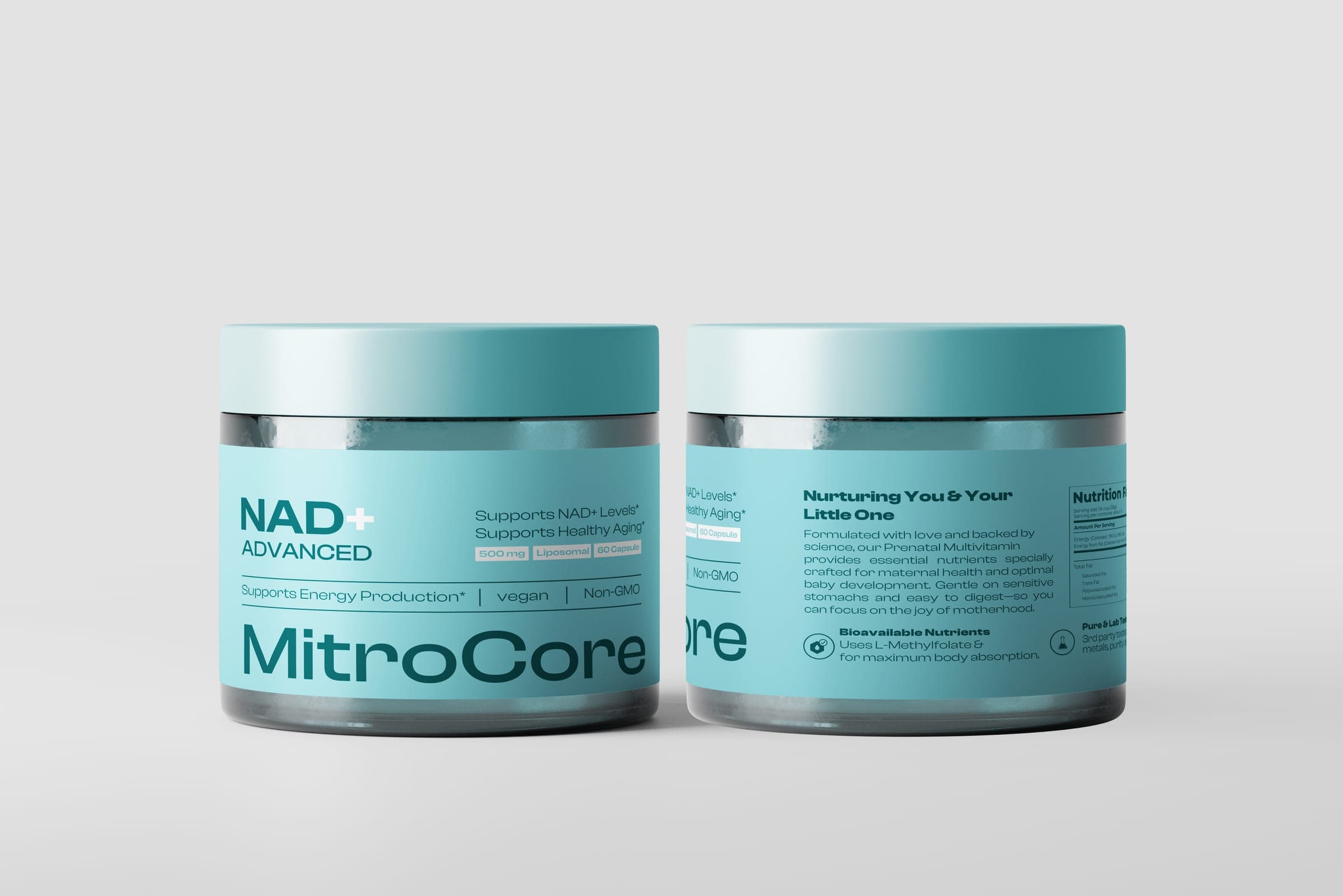
On the MitroCore jar label, the trim is 230mm x 45mm, the bleed size is 236mm x 51mm (a 3mm extension on every side), and a 3mm safe margin protects text from die-cut variance. On the Carolina rice pouch, a flexographic job, the full artwork carries a 0.125in bleed to prevent white margins during die-cutting and bag forming. The numbers differ because the structures and print processes differ. What matters is that they are specified, not guessed.
Layers are separated by job
A printer needs to switch things on and off. The dieline should never print. Text may need last-minute edits. Background art may need to be adjusted for a different substrate. If everything sits on one flattened layer, none of that is possible without rebuilding the file.
- Dieline: on its own non-printing layer. MitroCore uses a 0.25pt overprint stroke on a dedicated layer.
- Background art: full-bleed color fields, textures and illustration.
- Visual elements: product imagery, icons, badges, logos.
- Live text: kept editable and separate so copy changes do not touch the artwork.
Structure-specific zones are respected
Every structure has areas where artwork behaves differently. Seals, zippers, gussets, glue flaps and folds all affect what can safely sit where. A barcode that wraps over a flexing gusset may not scan. A claim that sits on a glue flap disappears once the carton is assembled. Print-ready artwork accounts for these zones before the design is approved, not after the proof comes back wrong.
What I check before handoff
- Trim and bleed match the printer's or converter's dieline exactly.
- No text or key graphic sits inside the safe margin.
- The dieline is on a non-printing layer and clearly labeled.
- Barcodes and mandatory copy sit on flat, stable areas of the structure.
- Text is live or clearly outlined per the printer's instructions.
Each of these is small on its own. Together they are the difference between a smooth first run and a reprint. Your printer will always have the final word on their own specs, so confirm them early and build to them.
If you have a design you like but are not sure it would survive a press, that gap is exactly what the Production-Ready Packaging Design service is built to close.